Listing Schema
Inventory mapping is configured per listing type, under Listing Type → Settings → SEO Schema.
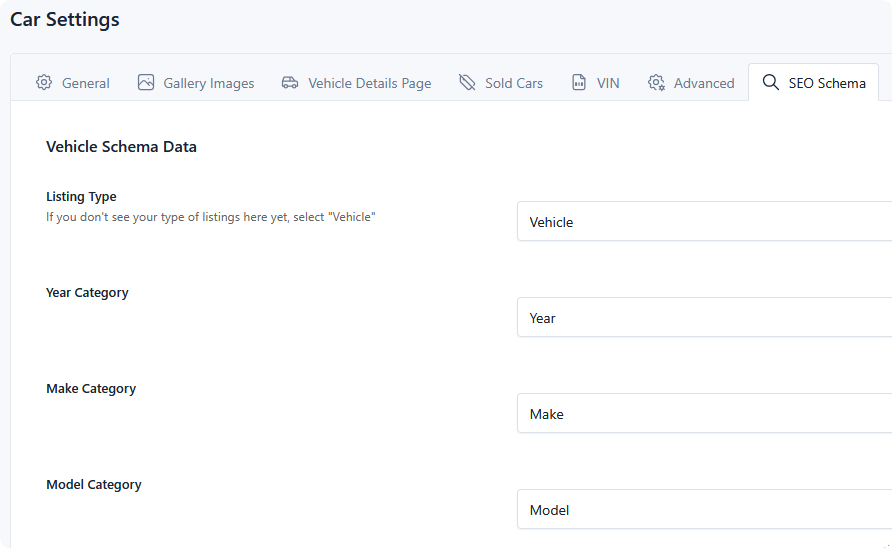
Because DMS lets you name categories whatever suits your inventory, the extension can't guess which one holds the VIN or the model year. You point it at each, once per type.
Listing Type
What kind of thing your listings are, in schema terms: Vehicle, Bus Or Coach, Car, Motorcycle, or Motorized Bicycle.
Pick the most specific option that fits. If you sell something not on the list — trailers, boats, equipment — choose Vehicle, which is the general case.
Every listing is described as both this type and a Product, so pricing and availability are understood alongside the vehicle details.
Category mapping
Each setting points at one of your categories. Map what you have; anything left unset is omitted from the output rather than guessed at.
| Setting | Used for |
|---|---|
| Year Category | Model year and production date |
| Make Category | Brand and manufacturer |
| Model Category | Model name |
| Body Type Category | Body style — sedan, SUV, pickup |
| Fuel Type Category | Fuel type |
| Interior Color Category | Interior colour |
| Exterior Color Category | Exterior colour |
| VIN Category | Vehicle identification number |
| Location Category | Which lot the vehicle is at — see Assigning inventory to a location |
| Condition Category | Whether the vehicle is new or used |
Year, make, model, and VIN are the ones worth prioritising — they're what search engines match a vehicle query against.
Condition
Structured data recognises only new or used, but your inventory probably uses richer terms — Certified Pre-Owned, Demo, Used.
Two settings bridge that:
- Condition Category — the category holding your condition values.
- New Condition Value — the exact term that means new.
A listing whose condition term matches that value exactly is advertised as new. Everything else is advertised as used, including Certified Pre-Owned and Demo. Match the value exactly as the term is written, capitalisation included.
Currency Code
The three-letter code for your prices — USD, CAD. Prices are meaningless to a crawler without it, so set this even if you only trade in one currency.
What each listing emits
On a listing detail page, the extension outputs that vehicle's mapped values plus:
- Price, taken from the listing. A listing with no price omits the price rather than advertising zero.
- Availability, derived automatically — sold and sale-pending listings are marked out of stock, everything else in stock.
- Availability location, when the listing's location term is mapped.
- A link back to the listing.
- The listing's main image and description.
None of this needs per-listing configuration. Once the type is mapped, every listing of that type is described automatically.
Video
A listing with a video set also emits video structured data — title, description, thumbnail, publish date, and the video URL — which is what allows it to surface as a video result.
Nothing to configure; it appears whenever a listing has a video.